Desktop form for an existing Node.js CLI
Give your script a window people can use.
Desktop form for an existing Node.js CLI
Give your script a window people can use.
GUI4CLI reads a Commander or yargs script and builds a form from its flags. Choose inputs, inspect the command, and run the original script with live output in a desktop window.
The script and its dependencies stay on this computer. First launch downloads the NW.js runtime, about 200 MB.
Someone using your script can fill in labeled fields instead of remembering its flags. Here is the actual window GUI4CLI generates for the repository’s resize demo.
1 · The CLI you already have A script with options to remember
This Commander script accepts an input folder, an output folder, a width, and a quality setting.
node fixtures/resize.js \
  --input ./photos \
  --output ./small \
  --width 800 \
  --quality 85
2 · The GUI it generates Fill in the fields, then review the command
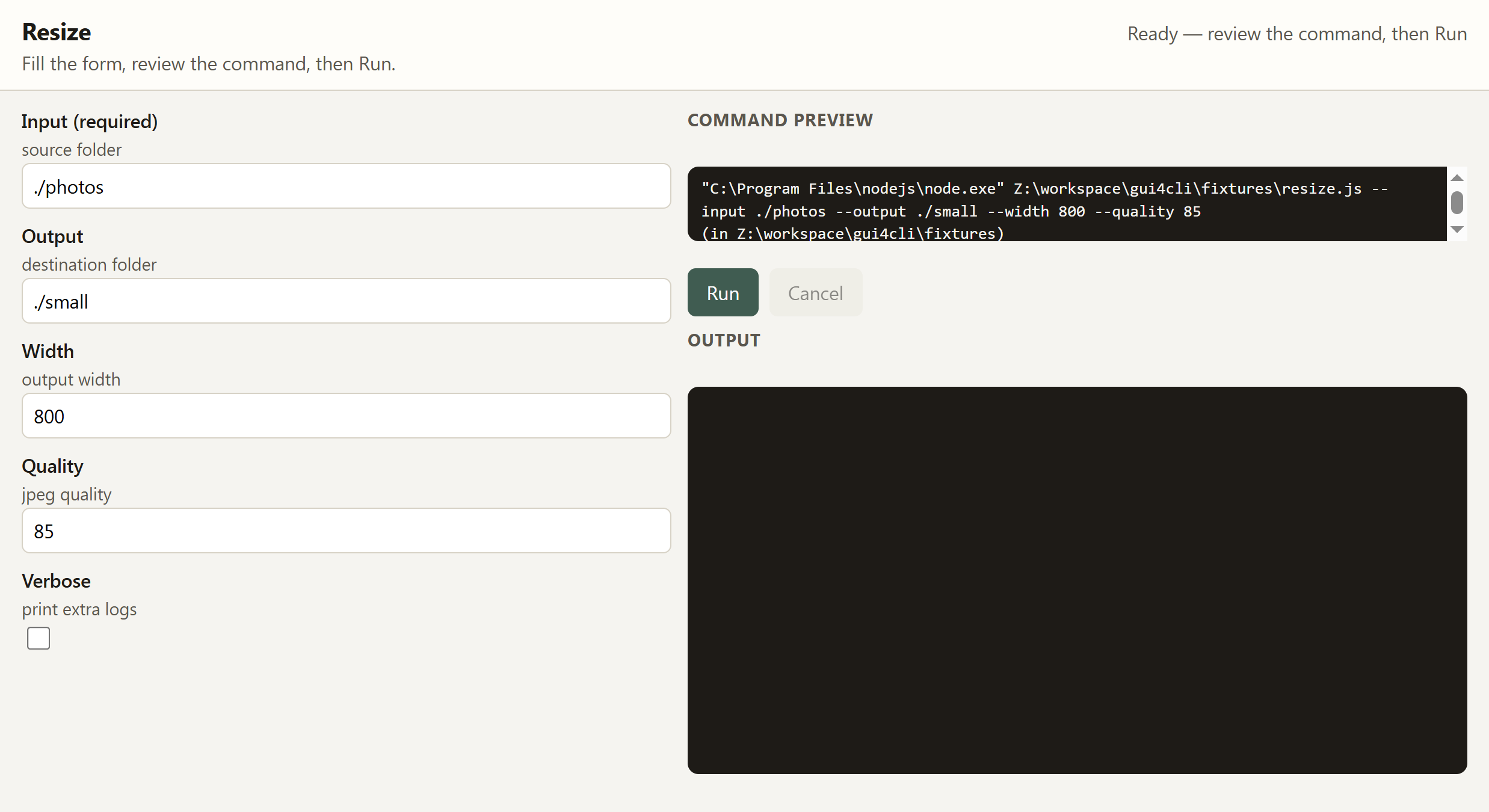
Actual Windows desktop window, ready to run, with sample values prefilled. Open full-size screenshot.
3 · What Run gives you The same script, with its output beside the form
Run sends these values to the original script. Its output streams into the window, followed by an exit code and elapsed time.
You can change an option and run again without rebuilding the command.
Verified demo output, exit code 0. This fixture prints its options; it does not resize or write images.
Resizing (fixture, no files touched)
{
  "output": "./small",
  "width": "800",
  "quality": "85",
  "input": "./photos"
}What you get
Point it at a script. It finds Commander or yargs options (JSDoc and --help if those are missing), draws a form, and shows the command it will run.
Run starts the original file. Stdout and stderr stream in the window. You get an exit code and how long it took. Cancel stops the child process.
The next open prefills the last values you used.
--json prints the form and exits. No window. Use that in CI.
--build writes a windowd folder that wraps the script where it already lives. It does not copy the file, rewrite it, or emit a .exe. The generated folder keeps absolute paths to the original script and to this machine's Node, so it works only on this computer. It is not a standalone app you can send to someone.
Quick start
npx gui4cli my-script.js
From this repo:
pnpm exec tsx src/cli.ts fixtures/resize.js
The first windowd launch downloads the NW.js runtime (~200 MB). After that, a typical Commander or yargs script opens as a form.
Flags live in the docs.
Limits
File and directory fields are text paths. There is no native picker yet.
--help fallback may run the script, and that run can have side effects. If detection still finds no fields, add gui4cli.config.js next to the script. Config does not skip the --help attempt.
Built by Catalyst Forge LLC.